EASY · TRADITIONAL MODEL
Brush holder
A traditional model: you bring the four corners to the centre three times, turning the paper over each time, squash the pockets on the left and on the right, fold the model in half backwards and pull out a point at each end. You get three points of the same height.
CARRY ON IN THE APP
This model is folded in the app.
Here you get the card and the first fold. The full guide for this model, with play, pause and a replay of every fold, is in the Foldstep app for your phone, tablet, TV or computer. Included in the Party Pack and in Foldstep Complete.
- App StoreiPhone, iPad and Apple TV
- Google PlayAndroid and Google TVComing soon
- Microsoft StoreWindowsComing soon
The first fold and the steps that follow
Here you see the first 2 steps; the other 20 continue in the app.
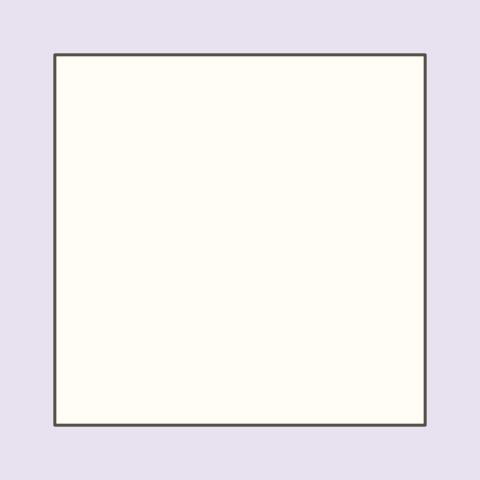
Get your paper ready.
Lay a square sheet down with one edge towards you, as an ordinary square (not as a diamond). If one side is coloured, put it face down and the white side face up.
Use smooth, properly square paper: in the next folds the corners have to meet exactly at the centre.
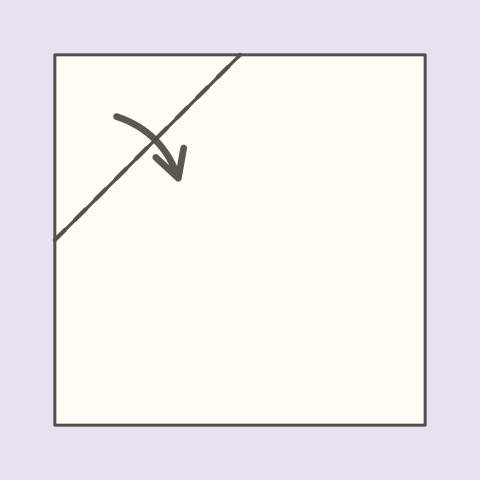
Bring the top left corner to the centre.
Fold the top left corner towards you, onto the centre of the paper. The fold is diagonal and runs through the middle of the two edges of that corner.
The centre is where the diagonals of the paper would cross: bring the corner right onto it and press the fold with your fingernail from the inside outwards.
Bring the top right corner to the centre.
Unlocks in the app
Bring the bottom right corner to the centre.
Unlocks in the app
Bring the bottom left corner to the centre.
Unlocks in the app
Turn the paper over.
Unlocks in the app
Bring the top point of the diamond to the centre.
Unlocks in the app
Bring the right-hand point of the diamond to the centre.
Unlocks in the app
Bring the bottom point of the diamond to the centre.
Unlocks in the app
Bring the left-hand point of the diamond to the centre.
Unlocks in the app
Turn the paper over.
Unlocks in the app
Bring the top left corner to the centre.
Unlocks in the app
Bring the top right corner to the centre.
Unlocks in the app
Bring the bottom right corner to the centre.
Unlocks in the app
Bring the bottom left corner to the centre.
Unlocks in the app
Turn the paper over.
Unlocks in the app
Open the left-hand little square and squash it flat.
Unlocks in the app
Open the right-hand little square and squash it flat.
Unlocks in the app
Fold the model in half backwards.
Unlocks in the app
Pull out the left-hand point.
Unlocks in the app
Pull out the right-hand point.
Unlocks in the app
Your brush holder is ready.
Unlocks in the app